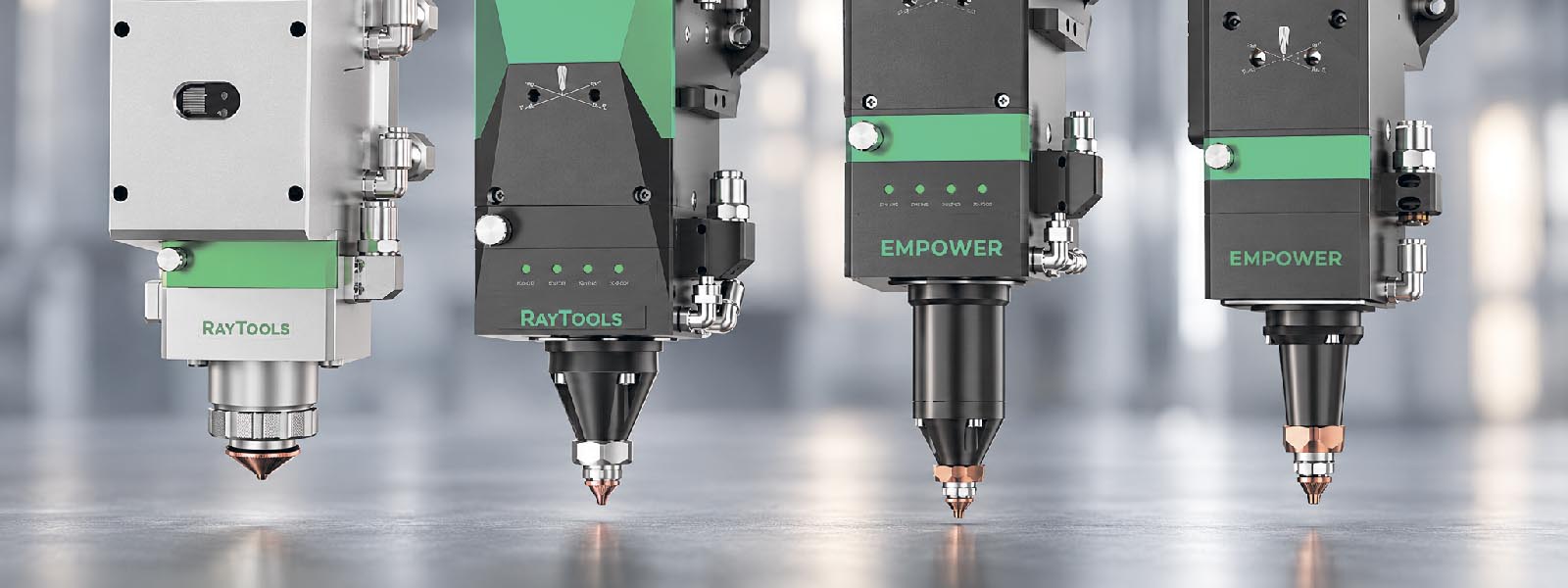
Replacing a laser cutting head is not only a mechanical task. A new head must be compatible with the machine, laser source, CNC system, height control, gas system, cooling system and consumables.
If compatibility is checked only by laser power or by external appearance, the machine may start cutting unstably after replacement. In some cases, the head may fit mechanically, but still create problems with calibration, gas flow, focusing, cutting parameters or service parts.
This article explains what must be checked before replacing a RayTools cutting head.
Why Compatibility Matters
A laser cutting head works as part of a complete system. It is connected with the laser source, motion control, height sensing, assist gas, cooling and machine software.
If one part of this system does not match the new head, the machine may show:
- unstable height control;
- poor piercing;
- burr after replacement;
- nozzle contact with the sheet;
- repeated protective window contamination;
- sensor errors;
- wrong focus position;
- unstable gas flow;
- poor repeatability;
- difficult calibration.
That is why cutting head replacement should start with compatibility checking, not with installation.
Laser Power Is Not Enough
A common mistake is to choose a replacement head only by laser power.
For example, if the machine uses a 6 kW laser source, it does not mean that any 6 kW cutting head will be suitable. Power rating is only one parameter.
You also need to check:
- machine type;
- cutting application;
- CNC and height control;
- fiber interface;
- optical configuration;
- mounting dimensions;
- Z-axis travel;
- cooling requirements;
- gas connections;
- consumable system;
- software and cutting database.
Two cutting heads with similar power range may still require different consumables, different mounting, different calibration and different parameter setup.
Check the Current Head Model
Before selecting a replacement, identify the head that is currently installed on the machine.
Check:
- model name;
- serial number, if available;
- power rating;
- 2D or 3D cutting type;
- flat sheet or tube cutting application;
- nozzle type;
- ceramic body type;
- protective window size;
- connector type;
- mounting interface;
- service history.
Do not rely only on photos. Many cutting heads look similar from the outside, but use different optics, holders, sensors and consumables.
If the nameplate is damaged or missing, take clear photos of the head, nozzle area, cable connectors, fiber connection, water ports, gas ports and mounting plate.
Check the Application Type
The replacement head must match the real application, not only the machine power.
Check whether the machine is used for:
- flat sheet cutting;
- tube cutting;
- 2D cutting;
- 3D cutting;
- bevel cutting;
- high-power thick plate cutting;
- high-speed thin sheet cutting;
- automated production line cutting.
A cutting head for flat sheet cutting may not be suitable for tube cutting, bevel cutting, robotic cutting or special applications. Different applications may require different head design, axis configuration, sensing logic and mechanical integration.
Check CNC and Height Control Compatibility
Height control is critical for stable laser cutting. If the new head does not communicate correctly with the machine control system, cutting quality will be unstable.
Before replacement, check:
- CNC system model;
- height controller type;
- sensor connection;
- calibration procedure;
- signal interface;
- alarm logic;
- cable compatibility;
- software settings;
- machine parameters.
After installation, the head may need recalibration. Do not expect the machine to work correctly with old height control settings if the head model has changed.
If height control becomes unstable after replacement, check compatibility and calibration before changing cutting parameters.
Check Mechanical Mounting
A cutting head may look suitable but still fail mechanically because of mounting differences.
Check:
- mounting plate dimensions;
- bolt pattern;
- vertical position;
- distance to the worktable;
- Z-axis travel;
- collision protection;
- cable routing;
- water hose routing;
- gas hose routing;
- space for service access.
The head must not only be attached to the machine. It must also move safely through the full cutting area without collision, hose tension or cable bending.
If an adapter plate is required, it must be designed accurately. Poor mounting can affect nozzle position, focus, height sensing and cutting stability.
Check Optical and Fiber Compatibility
The cutting head must match the laser source and beam delivery system.
Check:
- fiber connector type;
- laser power;
- beam quality requirements;
- collimation configuration;
- focus range;
- protective window system;
- internal optical layout;
- cooling of optical components.
This part should be checked carefully. Optical mismatch can cause power loss, unstable cutting, overheating or damage to internal optical components.
Do not connect a cutting head to a laser source until optical compatibility has been confirmed.
Check Cooling and Assist Gas
High-power laser cutting heads require stable cooling. If cooling is not correct, the head may overheat, lose stability or damage internal components.
Check:
- water inlet and outlet connections;
- chiller capacity;
- water temperature;
- water quality;
- hose diameter;
- leak risk;
- cooling circuit cleanliness.
Assist gas also has a direct effect on piercing, melt removal and edge quality. A replacement head must be compatible with the machine gas system.
Check:
- gas connection type;
- pressure range;
- gas flow capacity;
- sealing surfaces;
- hose and fitting compatibility;
- nitrogen, oxygen or air use;
- gas pressure stability;
- leakage.
Cooling or gas problems can make a correct head look defective. If cutting becomes unstable after replacement, check these systems before judging the head itself.
Check Consumables Compatibility
A replacement head may use different consumables. This affects purchasing, stock, service and daily operation.
Check compatibility of:
- nozzles;
- ceramic bodies or ceramic rings;
- protective windows;
- lenses;
- seals;
- cartridges;
- nozzle assemblies;
- locking rings;
- service tools.
This is especially important if the workshop already keeps spare parts for the old head. The new head may require a different consumables stock.
Do not assume that existing nozzles or protective windows will fit the replacement head. Similar-looking consumables may have different size, thread, thickness or seating geometry.
Check Cutting Database and Parameters
After replacing the cutting head, old cutting parameters may not work exactly the same way.
Check:
- focus position;
- piercing height;
- cutting height;
- gas pressure;
- cutting speed;
- nozzle diameter;
- nozzle type;
- power ramp;
- piercing time;
- lead-in strategy.
Even if the replacement head is compatible, the cutting process may require adjustment and test cuts.
Start with controlled test cutting, not full production. Compare cut edge, burr, piercing quality and repeatability before approving the machine for normal work.
Troubleshooting Table After Replacement
| Symptom | What to check first |
|---|---|
| Height sensor alarm | Height control compatibility, calibration, cable connection |
| Nozzle touches the sheet | Stand-off calibration, ceramic body, mounting height |
| Poor piercing | Focus, gas pressure, nozzle, cutting database |
| Burr after replacement | Parameters, nozzle type, gas flow, focus position |
| Protective window gets dirty quickly | Back spatter, gas flow, nozzle, stand-off distance |
| Cutting quality unstable after several minutes | Cooling, optics, gas stability |
| Machine cannot calibrate | Sensor connection, head model, CNC settings |
| Existing consumables do not fit | New head consumables list and part numbers |
| Head collides with fixtures | Mechanical mounting, Z-axis travel, cable routing |
This table gives first inspection points, not a final diagnosis.
What to Check Before Ordering
Before ordering a RayTools cutting head, prepare:
- current cutting head model;
- machine model;
- laser source brand and power;
- fiber connector type;
- CNC system model;
- height controller type;
- application type;
- material range;
- maximum cutting thickness;
- assist gases used;
- current nozzle types;
- protective window size;
- mounting photos;
- cable and connector photos;
- water and gas connection photos;
- reason for replacement.
This information helps avoid wrong selection and reduces the risk of downtime after installation.
If the old head was damaged after a crash, also check whether the machine mount, Z-axis or cable system was damaged.
Basic Compatibility Checklist
Use this checklist before installation:
- identify current head model;
- confirm replacement head model;
- check laser power range;
- check application type;
- check CNC and height control compatibility;
- check fiber connector;
- check mechanical mounting;
- check Z-axis travel;
- check water connections;
- check gas connections;
- check cables and sensors;
- check consumables list;
- prepare cutting parameters;
- plan calibration;
- make test cuts;
- record final settings.
This checklist should be completed before the machine returns to production.
Conclusion
RayTools cutting head replacement must be checked as a system task. The head must match the laser source, machine, CNC, height control, optics, cooling, gas supply, mounting and consumables.
The safest approach is to identify the current head, define the application, confirm all interfaces, prepare the correct consumables and test the machine before full production.
A compatible cutting head should not only fit the machine. It should restore stable cutting, predictable maintenance and reliable production.